
Lodge & Shelter Reservations
How to make a reservation
Summit Metro Parks offers a variety of reservable lodges and shelters. To learn how to place a reservation, consult the directions below. Questions? Please contact our customer service team at 330-867-5511 or [email protected].
Navigating the website
Begin your reservation on our main reservations page. If navigating to the reservations page from your browser, visit the SMP homepage at summitmetroparks.org, then find the reservations page using either of the following directions.
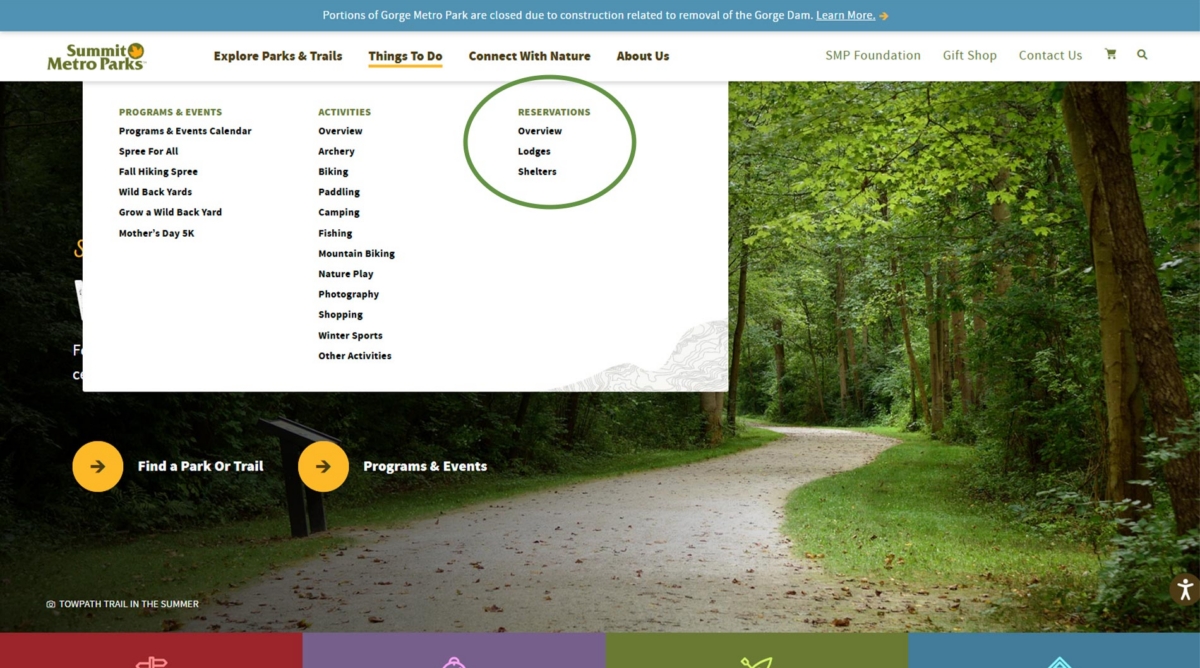
- Navigate to Reservations > Overview under the Things to Do tab at the top of the page. From here, navigate to the reservations page, or directly to lodges or shelters.
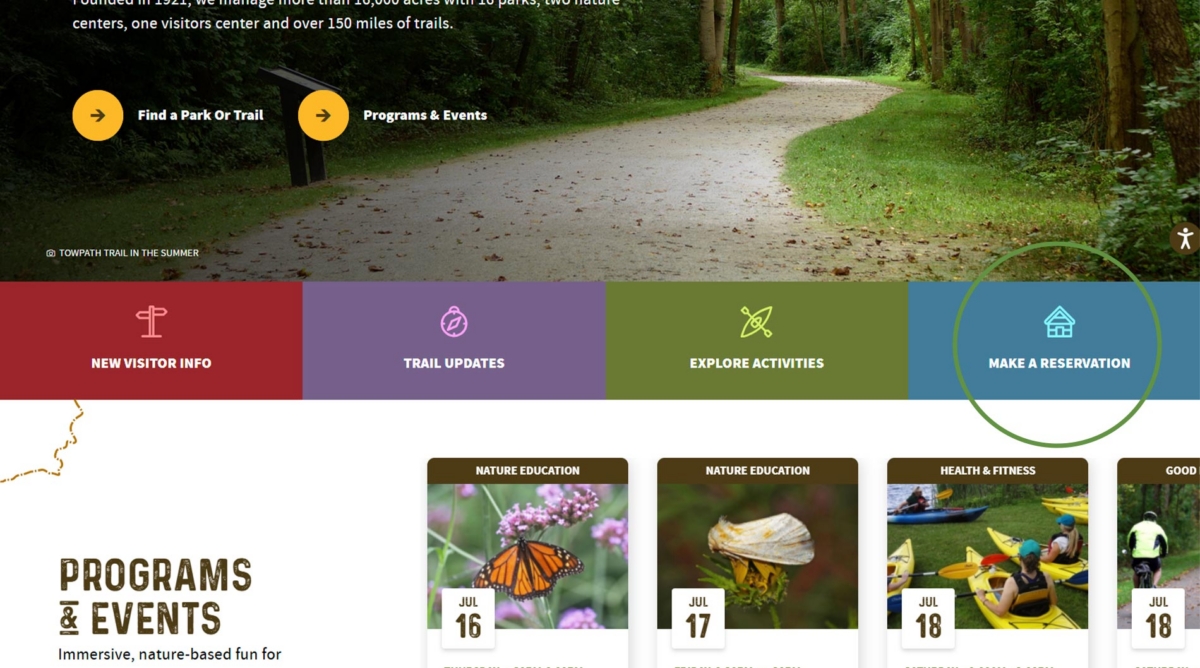
- Click on the Make a Reservation button on the SMP homepage.
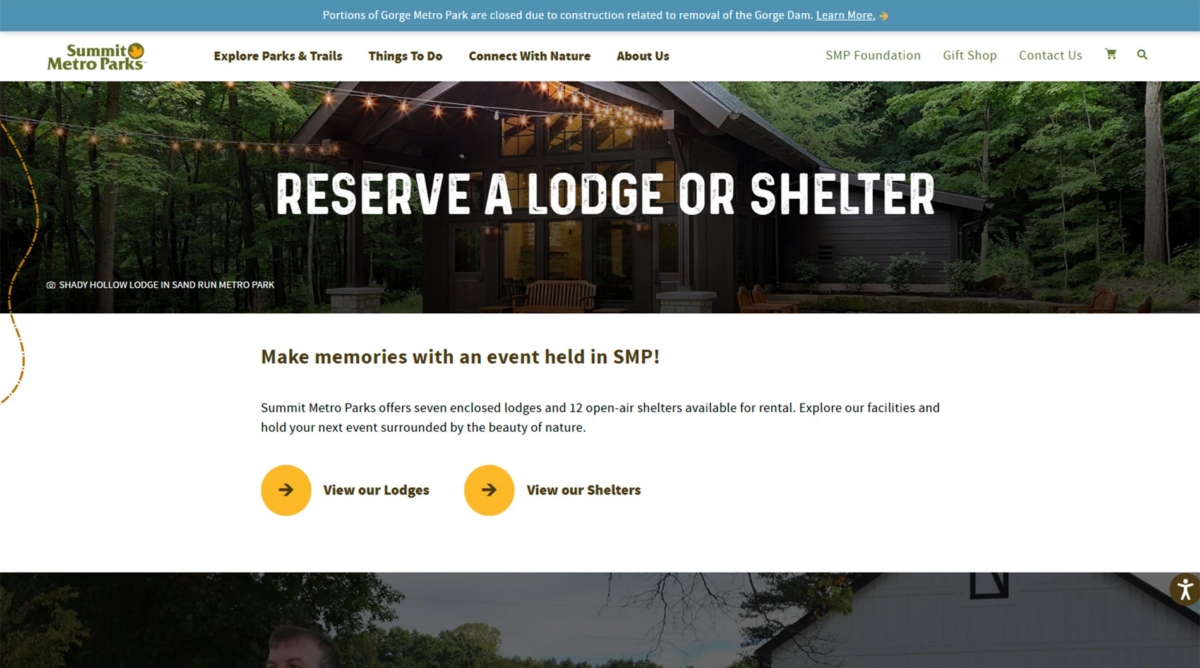
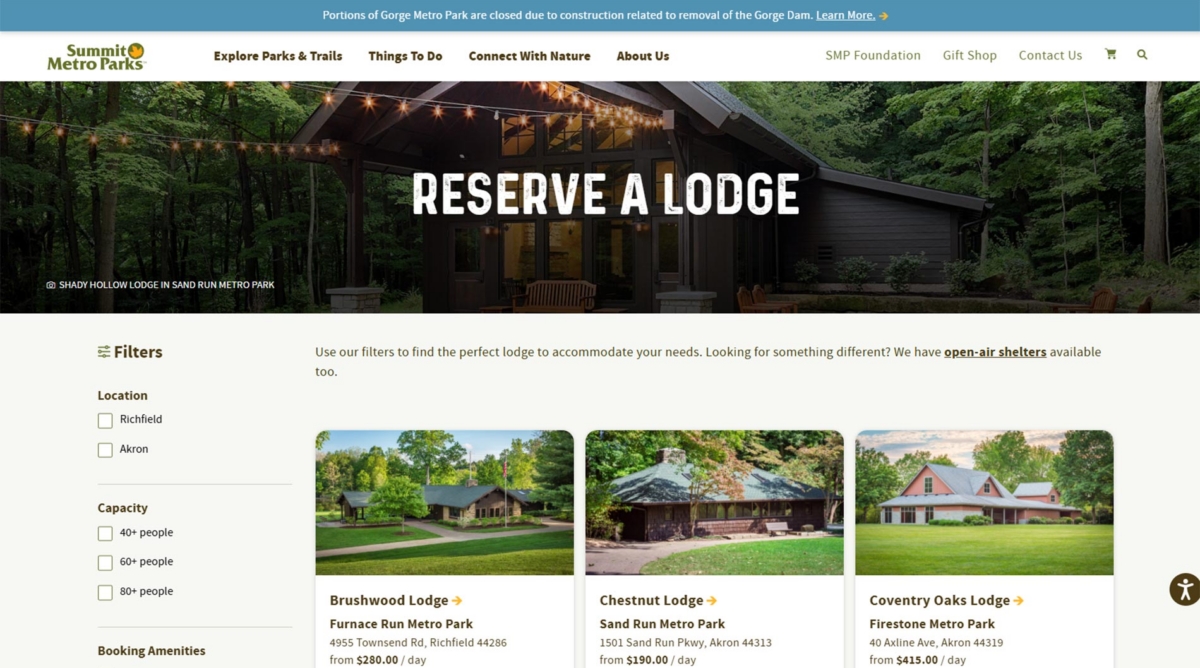
Once on the reservations page, navigate to lodges or shelters to browse facilities.
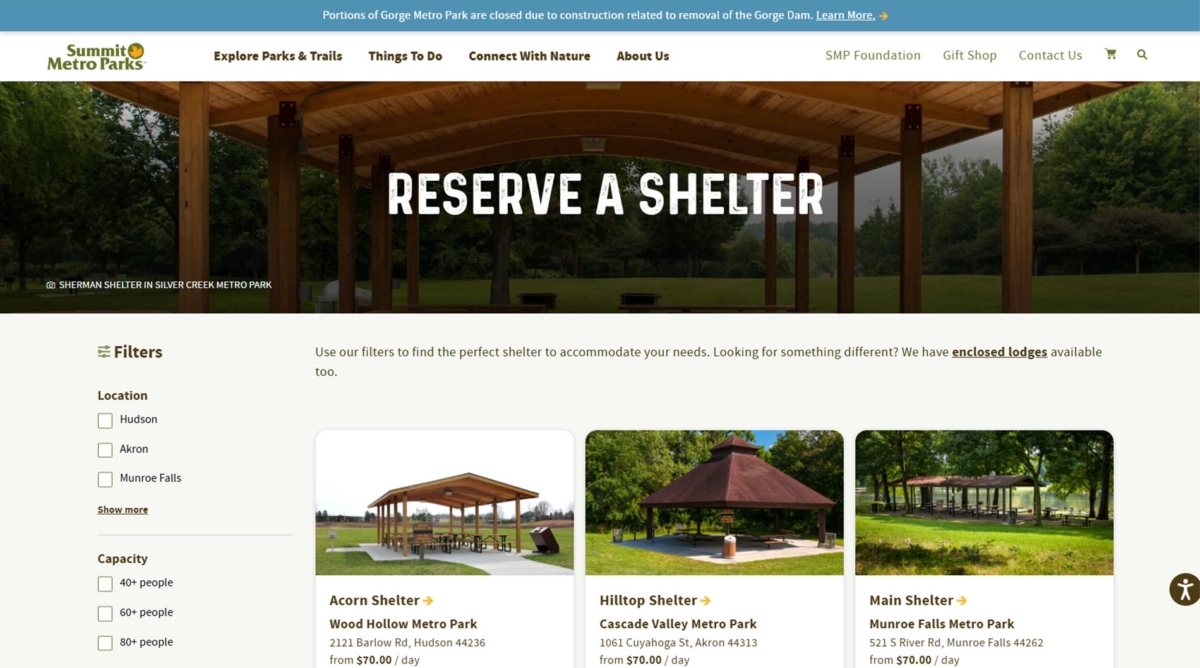
Selecting a Facility
Each facility page has information valuable in selecting the lodge or shelter that best fits your needs.
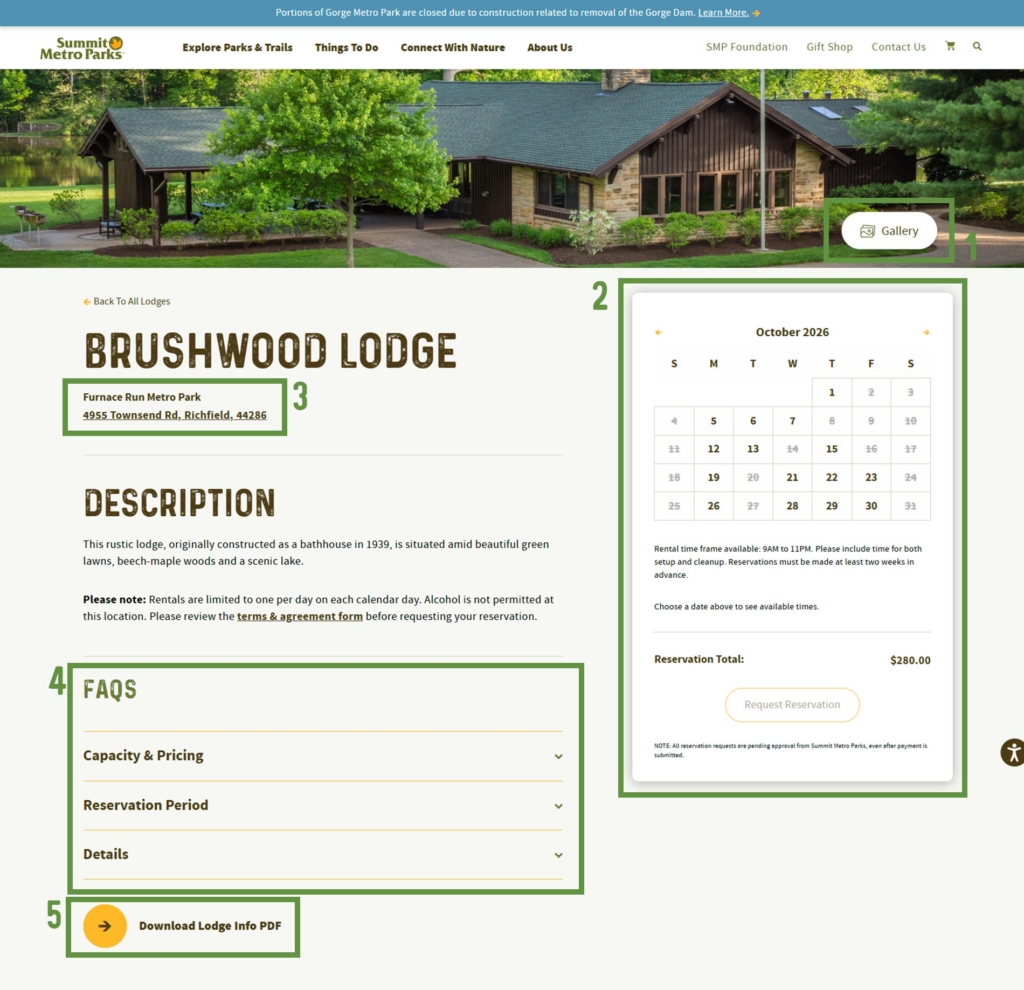
- For lodges, the gallery contains photos of the interior and exterior.
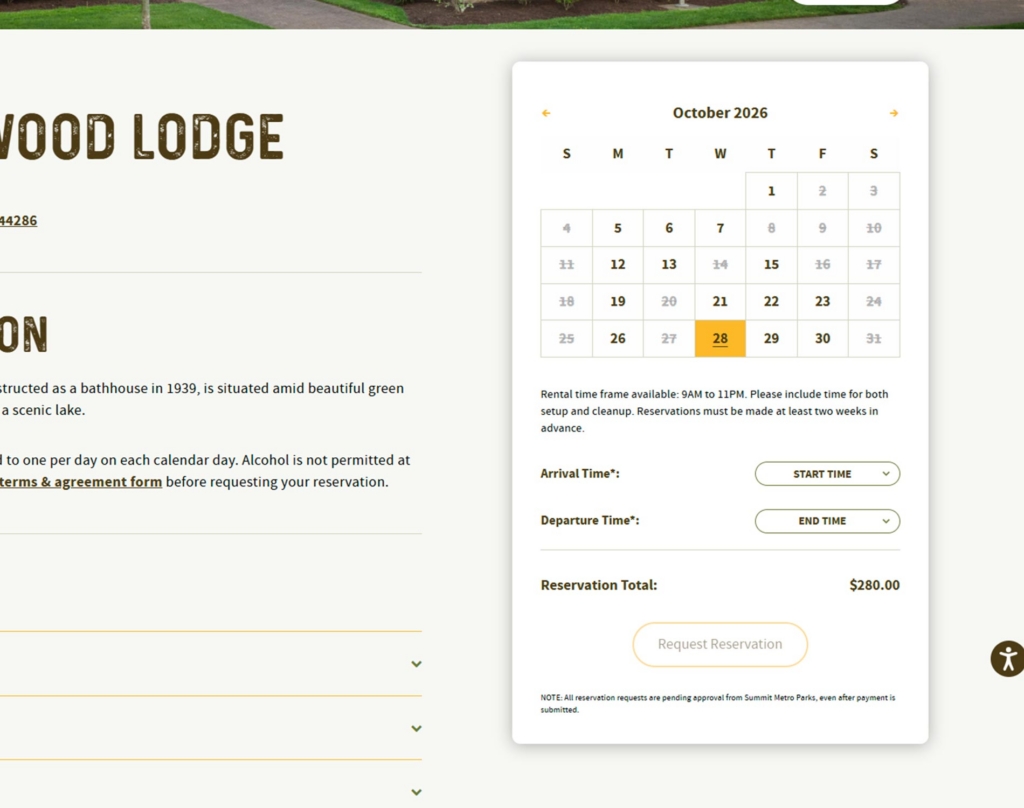
- A real-time availability calendar. Bold dates are still available. Gray dates are unavailable.
- The specific Metro Park and the address of the lodge or shelter.
- Drop-down menus with additional information.
- The informational sheet for the lodge or shelter, which includes what is included with your reservation and driving directions.
Placing Your Reservation
After choosing a facility, follow these steps for reserving your lodge or shelter.
- Select an available date on the real-time calendar shown above, then select arrival and departure times for your requested reservation.
- Note: Times should account for setup and cleanup. Those who reserve a lodge will not receive a key; once the doors are unlocked, at least one adult must remain at the lodge.
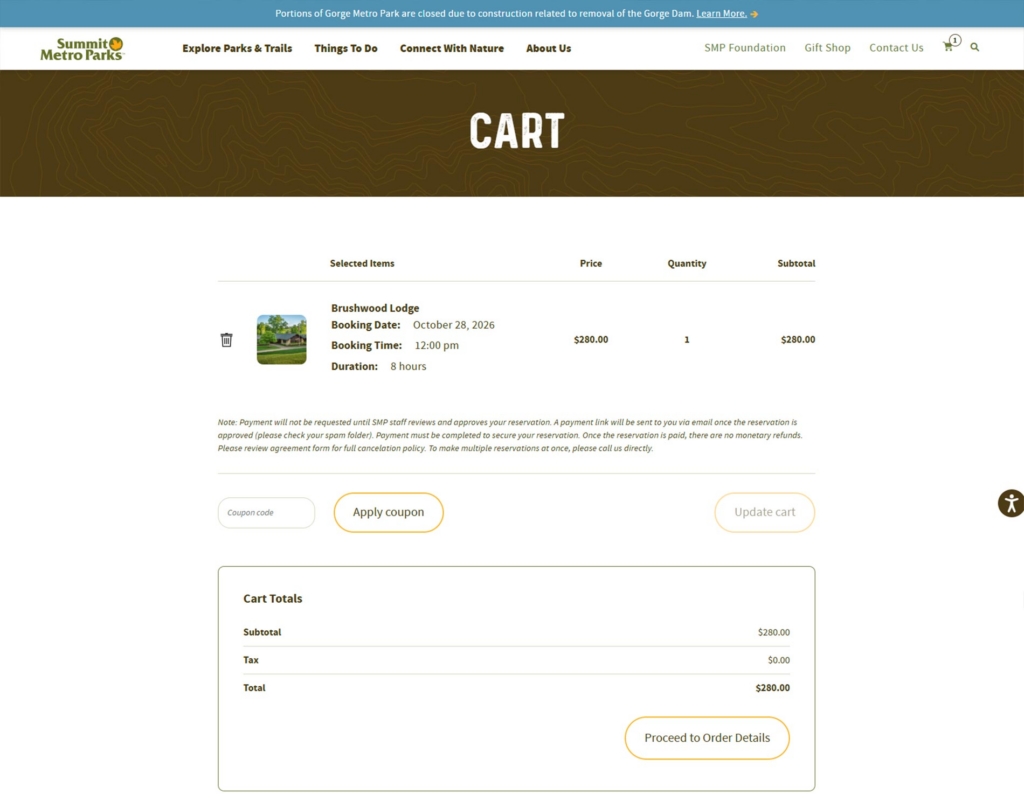
- Select Request Reservation to go to the booking page, then select Proceed to Order Details.
- Note: The coupon code is for those who have a reuse of a previous reservation.
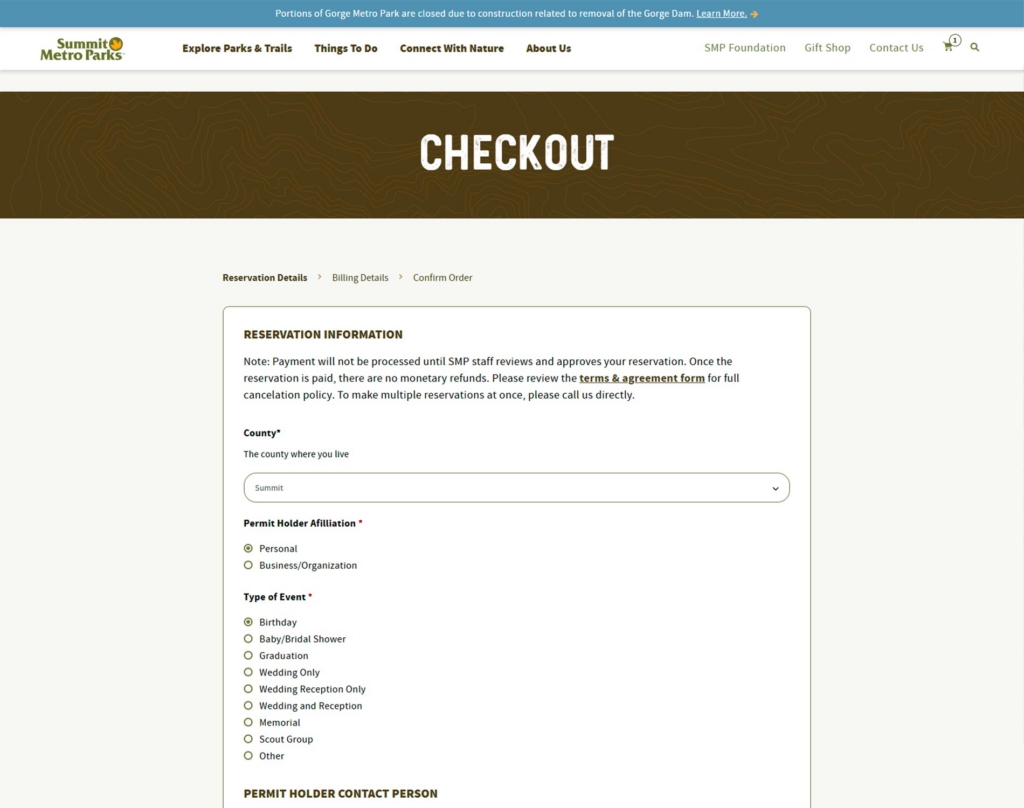
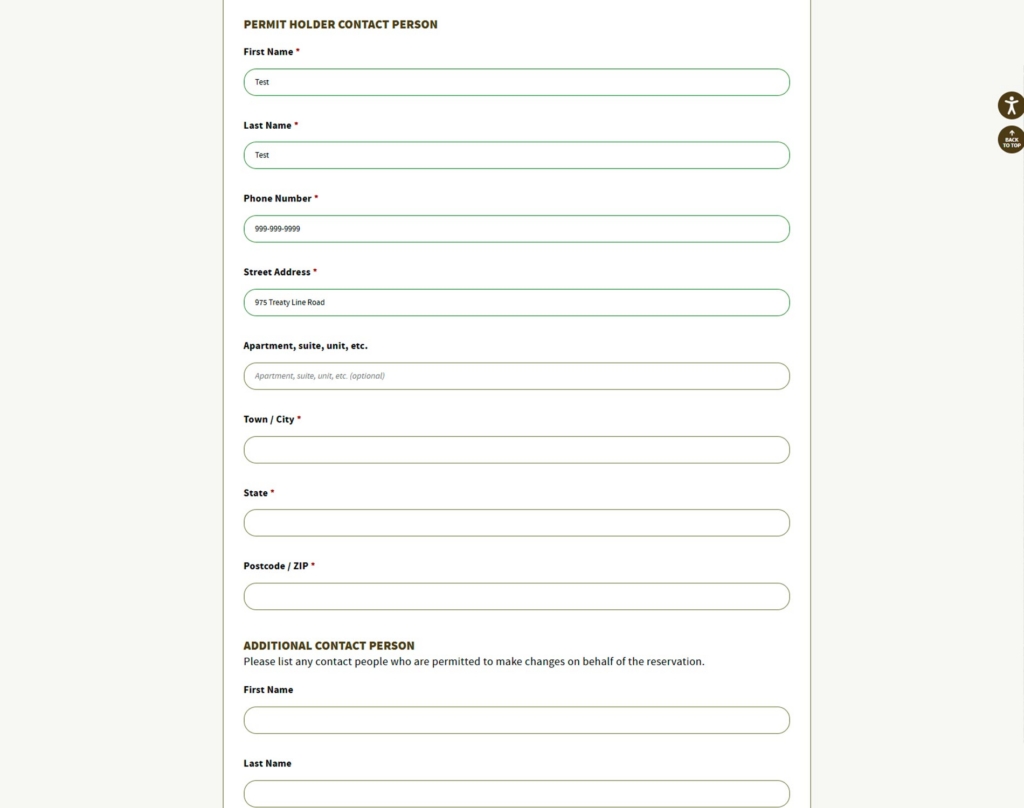
- Enter information about the reservation and permit holder. The permit holder is in charge of the reservation.
- Note: If placing a reservation for an organization, use the organization’s address for the permit holder info. Additionally, note the box for indicating whether the permit holder is located in or outside of Summit County. If not correctly indicated while placing your request, staff may update while confirming the order, leading to price changes in your final confirmation.
- Enter billing information and permit holder contact information, including phone number and email.
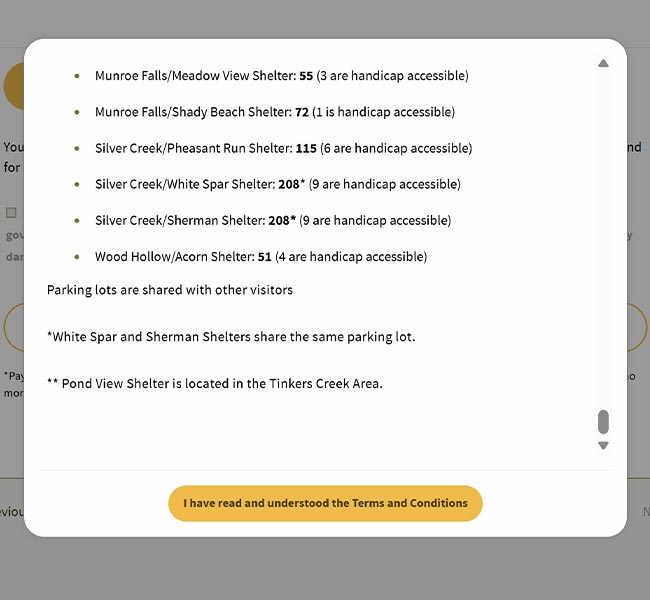
- Select Read Terms and Conditions. After reading through the guidelines in the pop up box, select the I have read and understood the Terms and Conditions button.
- Note: You will not be able to select the button until you have read through the Terms and Conditions in their entirety. If making a reservation from your phone, make sure to continue scrolling until the button appears.
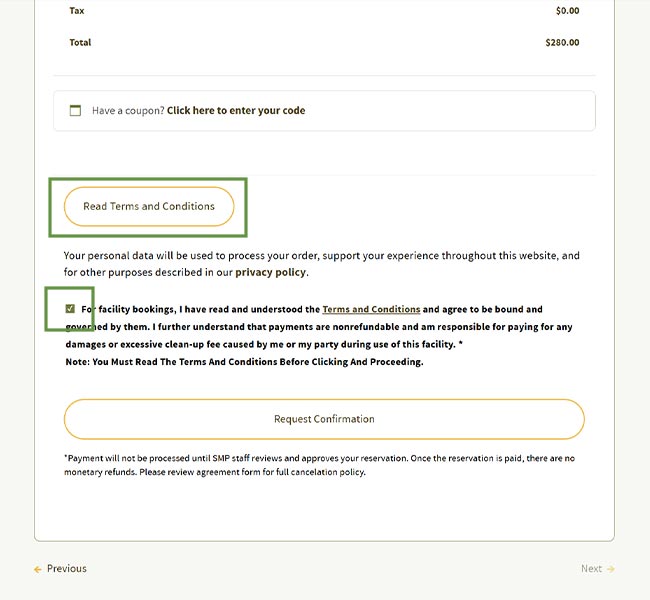
- Then, select the box indicating payment details, charges and Terms and Conditions before selecting the Request Reservation button.
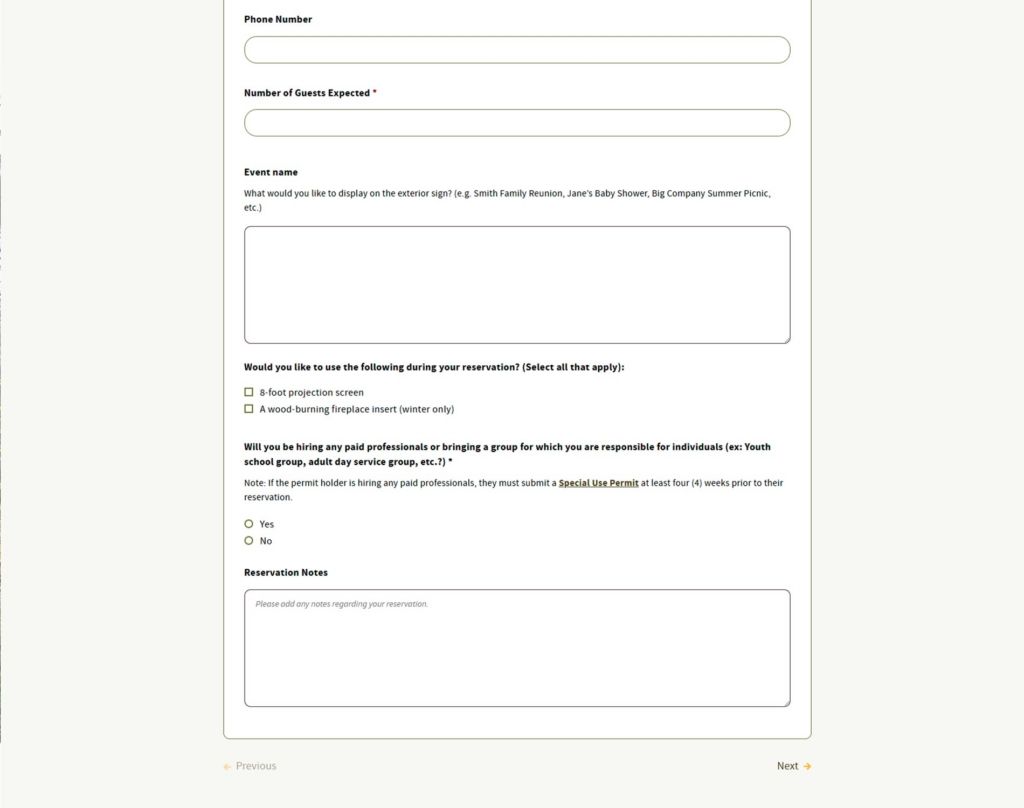
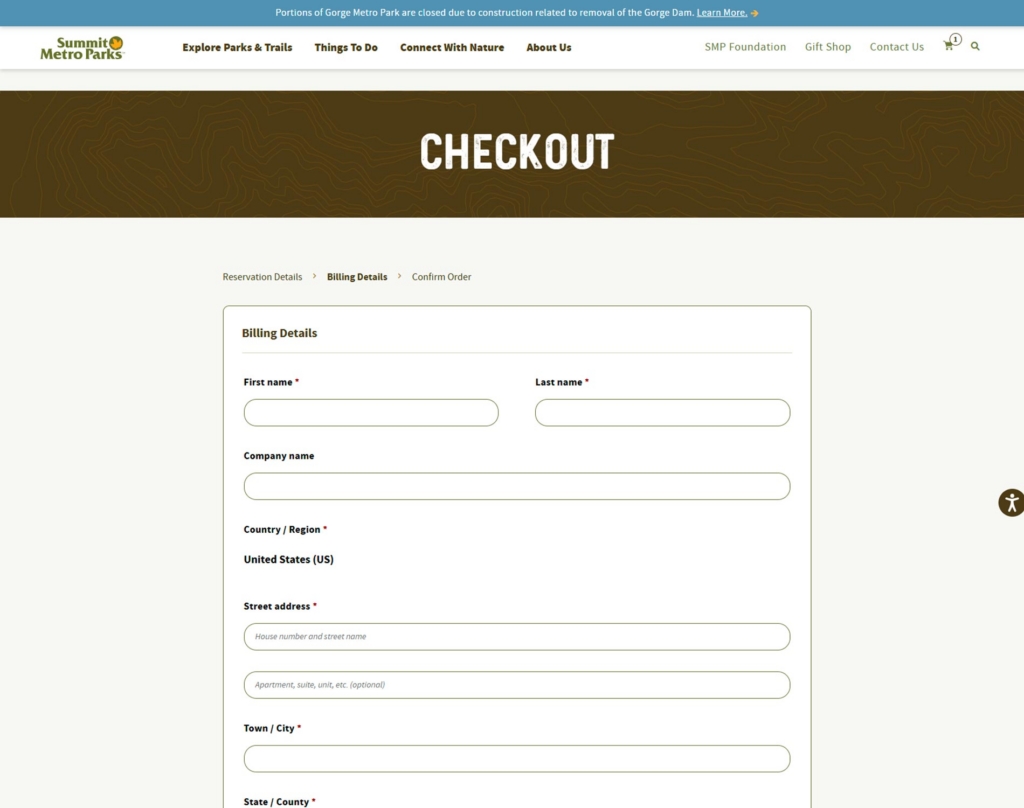
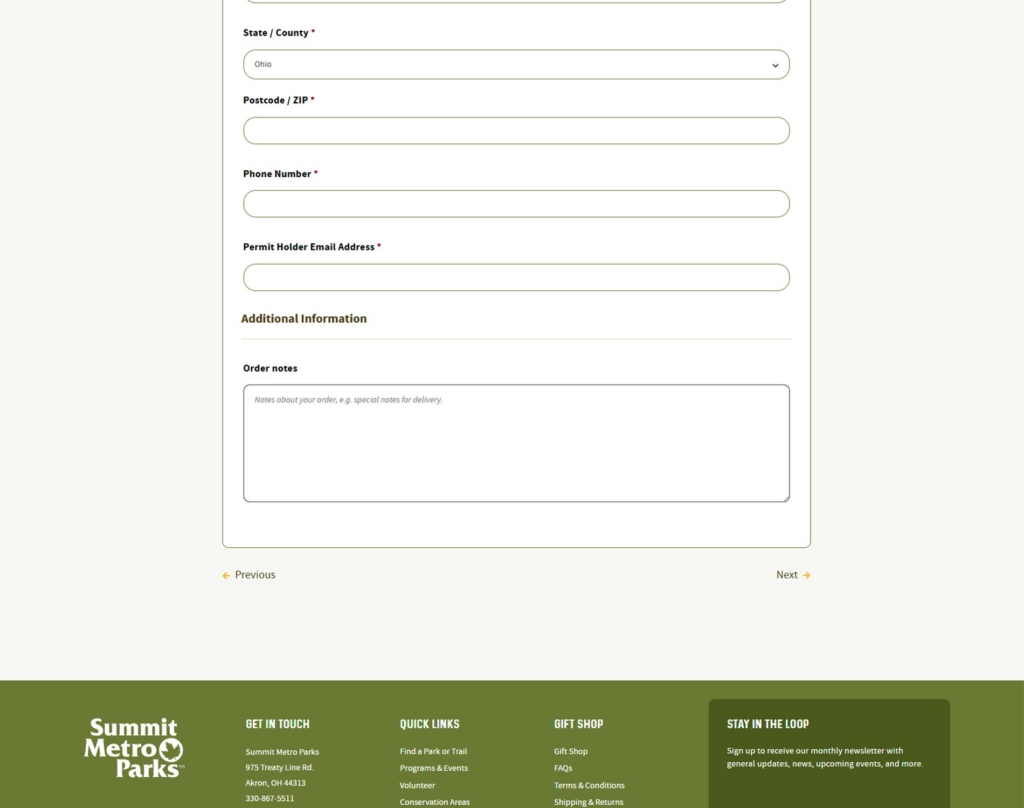
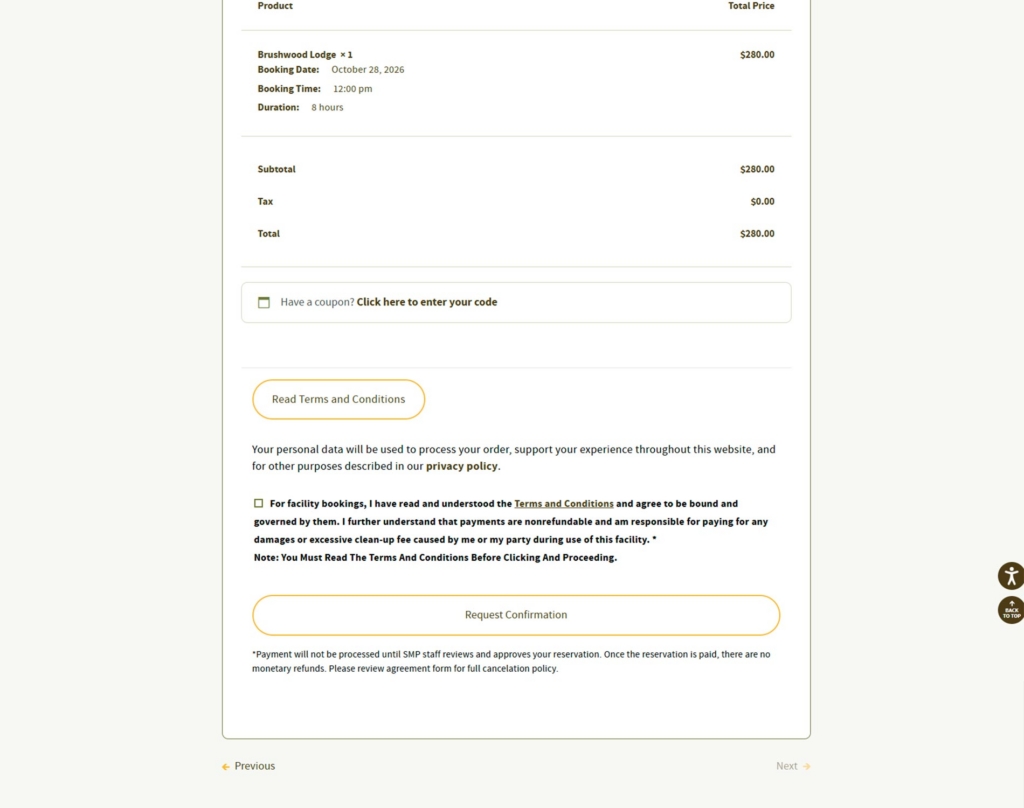
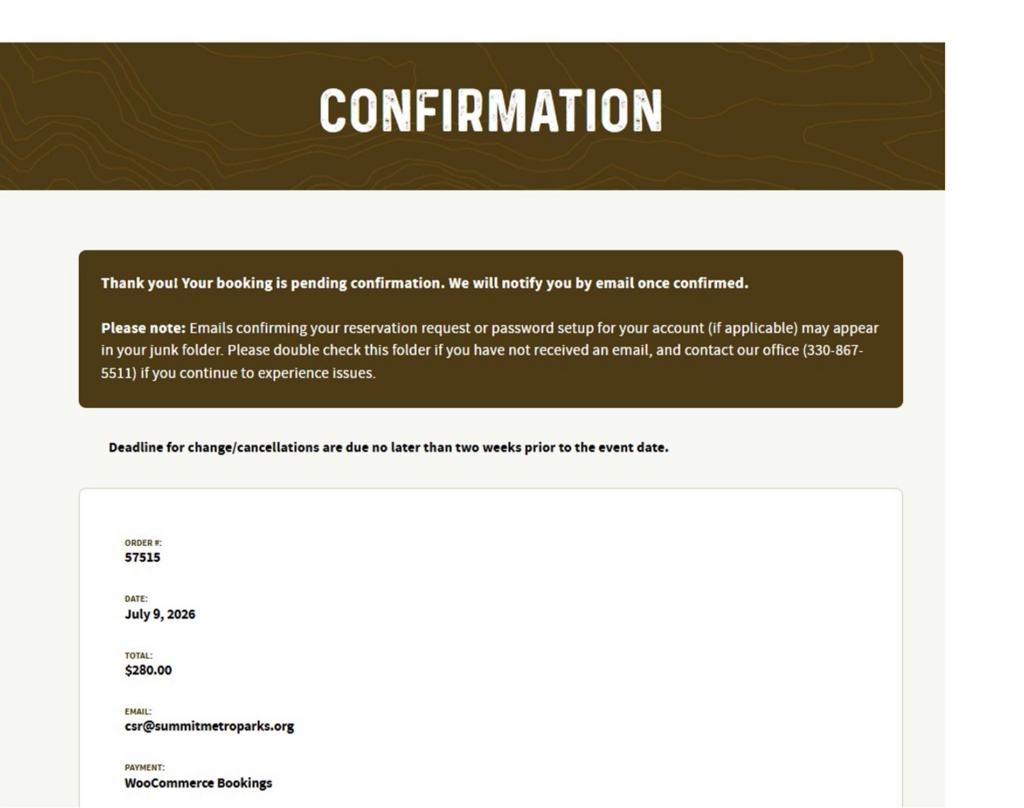
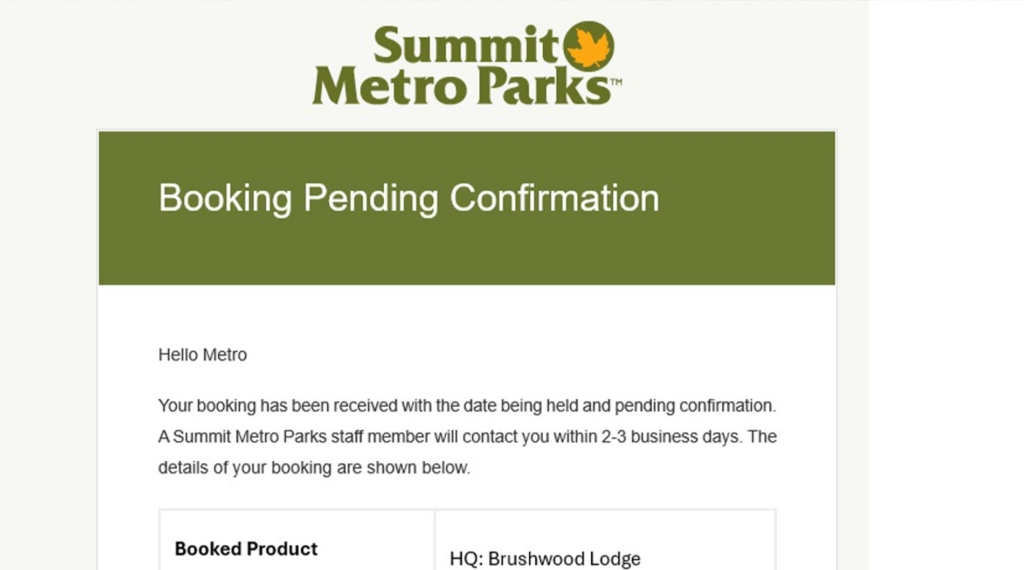
Once you request the reservation, you will receive an email. Make sure to check the spam folder. The subject line and email will look like this.

Confirmation and Payment
Your reservation request is now complete. SMP staff will review your reservation before confirming it.
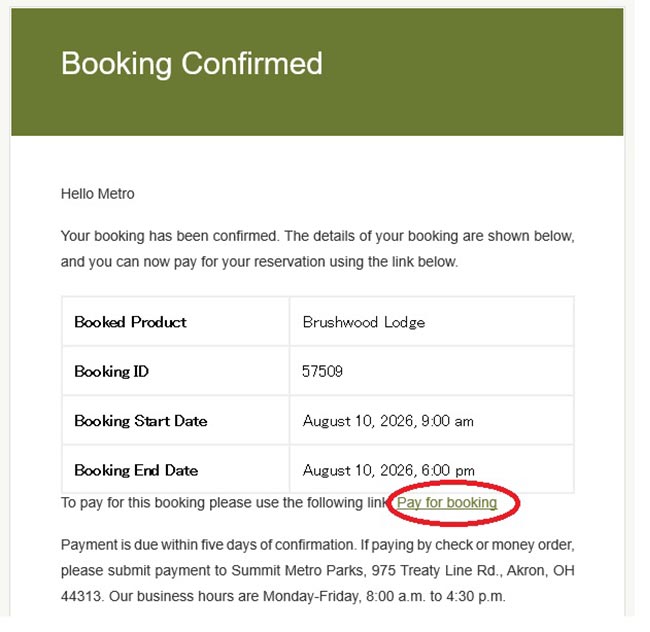
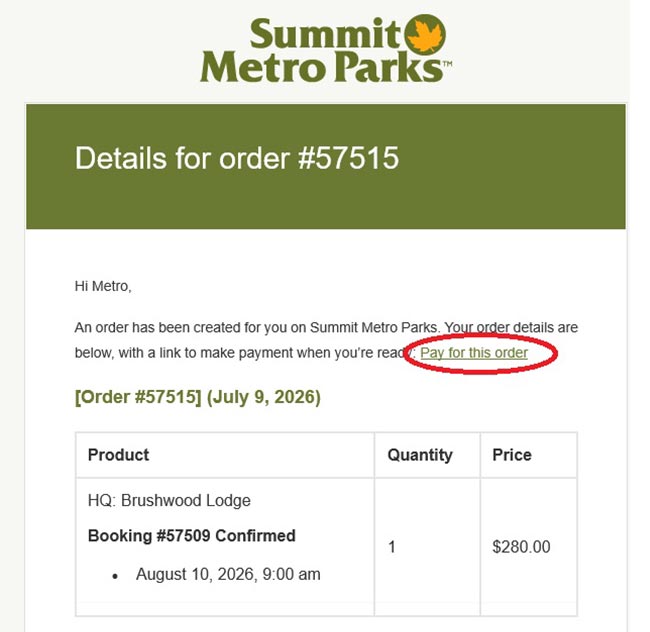
Once the reservation is confirmed, you will receive another email with a payment link. Payment is due within five days of when your reservation was confirmed, and can be made with a credit/debit card online, a check/money order mailed, or by cash in person.
Once the reservation is paid, you will receive an email with the paid paperwork to bring with you to your reservation.
Questions
Please contact us at 330-867-5511 or [email protected] with any questions.